Disaster Recovery Plan for Small Business in Pakistan
Build a disaster recovery plan for small business in 7 steps. Backup rules, RTO and RPO, plus ransomware and power cut tips for Pakistan. Read the guide.
Disaster Recovery Plan for Small Business: A Practical Guide for Pakistan
A disaster recovery plan for small business is a written list of steps that gets your computers, data, and internet working again after something breaks. In Pakistan, that "something" is usually a power surge, a dead hard drive, a flooded office, or ransomware. Many small offices in Multan keep one copy of their files on one computer and hope for the best. That works until the day it does not.
This guide walks you through seven steps. You do not need expensive software or an IT degree. By the end you will have a one page plan, a backup setup you can finish this week, and a restore test that proves it works.
What is a disaster recovery plan? It is a short document that lists what your business cannot run without, how often each item is backed up, who restores it, and how fast. For a small business, one page is enough. A plan only counts once you have tested a real restore.
Why Every Small Business in Pakistan Needs a Disaster Recovery Plan
Technology breaks in predictable ways. These five causes come up again and again in offices and ISP setups across Multan:
- Power cuts and voltage spikes that corrupt files or burn out power supplies
- Hard drive and SSD failure, often with no warning
- Ransomware and phishing emails
- Heat, water, or monsoon flooding in the office or server room
- Human error, such as a deleted folder or one wrong click
Ransomware is the threat to watch. A July 2026 Express Tribune report said Pakistan had recorded 253 cyberattacks so far this year. One was a ransomware attack on a government entity that had to restore its data from backups.
Backups help, but they are not a guarantee. A Sophos survey of 3,400 organizations, summarized by Beancount, found that only 54% of ransomware victims recovered their data from backups. Modern ransomware looks for your backups first and encrypts them before it announces itself.
Disaster Recovery, Backup, and Business Continuity: What Is the Difference?
People use these three terms as if they mean the same thing. They do not.
| Term | What it means | Example |
|---|---|---|
| Backup | A copy of your data | Last night's copy of your accounts file |
| Disaster recovery | Getting systems and data working again | Restoring that file on a new PC within 4 hours |
| Business continuity | Keeping the business running during the problem | Taking orders on paper while the system is down |
A backup alone is not a plan. A plan answers three questions: who restores what, in what order, and how fast.
Step 1: List What Your Business Cannot Run Without
The first part of any disaster recovery plan is a simple list. Open a notebook and write down every system your team uses in a normal day. Then sort each one into critical, important, or can wait.
A typical office list looks like this:
- Accounting or billing software and its data
- Customer list and order records
- Email and shared files
- Internet connection and router settings
- Website and domain login
- Business phone numbers and WhatsApp accounts
For each item ask one question: if this vanished at 9 am on Monday, how many hours until we start losing money? The answer tells you what to protect first.
Step 2: Set Your Recovery Time and Recovery Point Objectives
Two short terms sit at the heart of your disaster recovery plan.
RTO (recovery time objective) is how long you can be down before the damage becomes serious. RPO (recovery point objective) is how much recent work you can afford to lose, measured in time. An RPO of 24 hours means you accept losing up to one day of changes.
Here is an example for a 10 person office. Set your own numbers with your team.
| System | RPO | RTO |
|---|---|---|
| Accounts or billing software | 24 hours | 4 hours |
| 24 hours | 8 hours | |
| Shared files | 24 hours | 1 working day |
| Internet and router | Last settings change | 1 hour |
| Website | 24 hours | 4 hours |
Tighter targets cost more money. Spend on the critical systems and keep the rest simple.
Step 3: Follow the 3-2-1 Backup Rule
The 3-2-1 backup rule is the standard starting point for any disaster recovery plan. Keep three copies of your data, on two different types of storage, with one copy offsite.
For a small office that can look like this:
- Copy 1: the live data on your PC or server
- Copy 2: a nightly backup to a NAS or external drive
- Copy 3: an encrypted copy in cloud storage, or a drive kept at the owner's home or another branch
Now add the ransomware upgrade. The CISA #StopRansomware Guide says to keep offline, encrypted backups, because many ransomware variants try to find and delete or encrypt any backup they can reach. So keep one copy that is offline, such as a drive you unplug after the backup finishes, or storage that cannot be changed once written. Many guides call this the 3-2-1-1-0 rule: one offline or unchangeable copy, and zero errors when you test a restore.
Two small habits make a big difference. Use a different password for your backup system than for your daily accounts. And never leave the backup drive plugged in next to the PC it protects.
Step 4: Protect Against Power Cuts and Hardware Failure
Many disasters in Pakistani offices start with the electricity, not hackers, so your disaster recovery plan should treat power as a real risk. Cover these basics:
- UPS for everything critical. Put the server, NAS, router, and switch on a UPS with enough runtime to shut down safely. Add surge protection on the main supply.
- Check drive health every month. Most drives report warning signs before they fail. Replace old drives on a schedule and keep one spare.
- Back up your network settings. If your router dies, you need its configuration to rebuild fast. If you run MikroTik, our guide on MikroTik router setup for a small ISP shows how to export it. For many devices across several brands, a network configuration manager does this automatically.
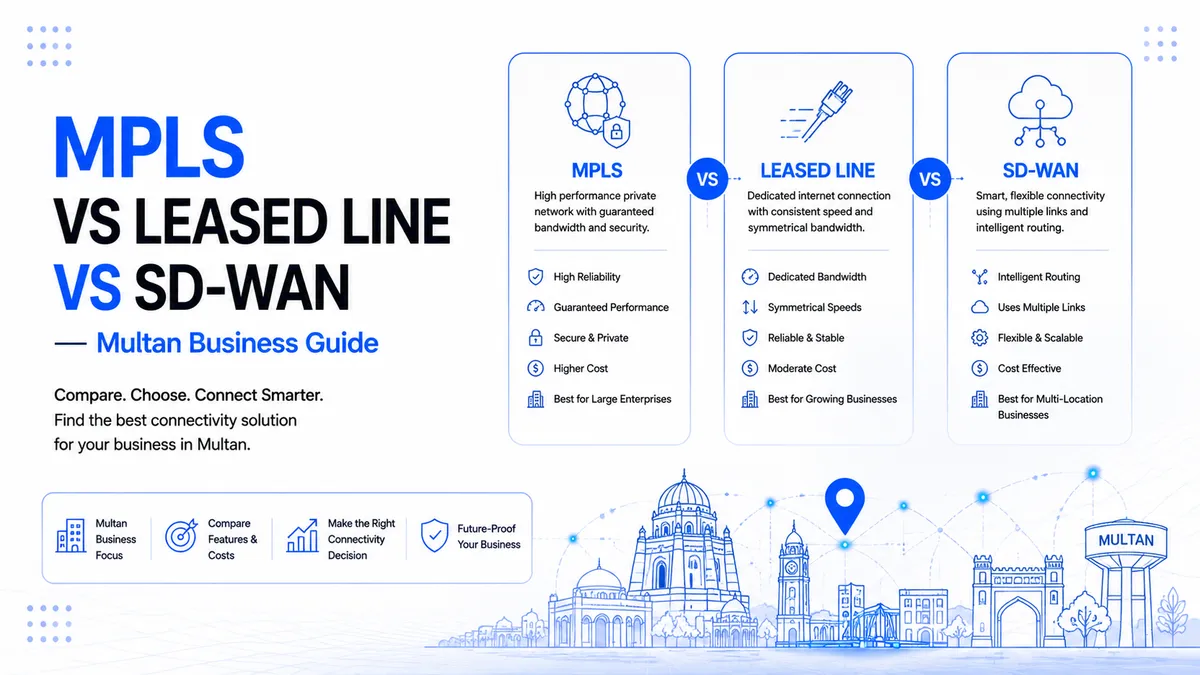
- Add a second internet path. A backup line or 4G link keeps you online when the main line fails. Our comparison of MPLS, leased line, and SD-WAN explains the options.
- Keep equipment cool and dry. Do not place servers on the floor or next to windows.
Step 5: Assign Roles and Write the Contact List
A disaster recovery plan for small business needs only three roles: a recovery lead, a backup person who can step in, and one person who talks to customers during an outage.
Then write a contact list. Include your IT support, internet provider, software vendor, bank, and the phone numbers of your team. Print it. The CISA guide says to keep a hard copy of the plan and an offline version, because you cannot open a file on a network that is down.
Step 6: Test Your Restore
This is the step most small businesses skip, and it is the one that matters most. Many owners find out their backup was empty or corrupted on the day they needed it.
Test your disaster recovery plan like this:
- Every month: restore three random files to a different folder and open them.
- Twice a year: restore a full system to a spare PC and time it against your RTO.
- Every time: write down the date, who did it, how long it took, and what went wrong.
CISA also recommends regular testing of backup availability and integrity in a disaster recovery scenario. A backup you have never restored is only an assumption.
Step 7: Review the Plan Twice a Year
Your disaster recovery plan goes out of date quickly. Update it when you hire or lose staff, change software, move offices, or switch internet providers. Put two review dates in the calendar, six months apart.
What a One Page Disaster Recovery Plan Looks Like
Your finished plan can fit on one sheet:
- Business name, plan owner, and last review date
- Critical systems list with RPO and RTO for each
- Backup schedule and where each copy is stored
- Who restores what, and who is the backup person
- Contact list for staff, vendors, and support
- Step by step restore order, starting with the most critical system
- Last restore test date and result
Common Disaster Recovery Mistakes in Small Offices
- Mixing up sync and backup. Cloud sync copies deleted and encrypted files too. A real backup keeps older versions.
- Never testing a restore. An untested backup is a guess.
- One person holds every password. Store them safely where a second trusted person can reach them.
- No UPS on the router and NAS. One power cut can corrupt both.
- Backups that share the same room. A fire, flood, or theft takes the original and the copy together.
Conclusion
A disaster recovery plan for small business does not need a big budget. It needs a clear list of what matters, a 3-2-1 backup, protection against power problems, and a restore test you actually run. Do Step 1 and Step 3 this week. Do the rest this month. Then print the finished disaster recovery plan and keep a copy offline.
If you would rather have an engineer set it up and monitor it, Alnafy Solutions provides disaster recovery in Multan for offices, ISPs, and growing companies across Pakistan. Get in touch and we will look at your setup with you.
Frequently Asked Questions
Quick answers and key troubleshooting tips related directly to this article.
About the Author
Alnafy Solutions is a knowledgeable contributor sharing expertise and insights on technology and business topics.
Comments
Leave a Comment
Your comment will be reviewed by our team before appearing.
Loading comments...